Every app you host has a visibility setting with two options:
- Public — anyone with the URL can use it. This is the default.
- Logged-in only — visitors must be signed in to your WordPress site to see it.
Logged-in only turns your app into a private tool for your members, using the WordPress accounts you already have — no separate login and no extra hosting.
Set visibility when you create the app
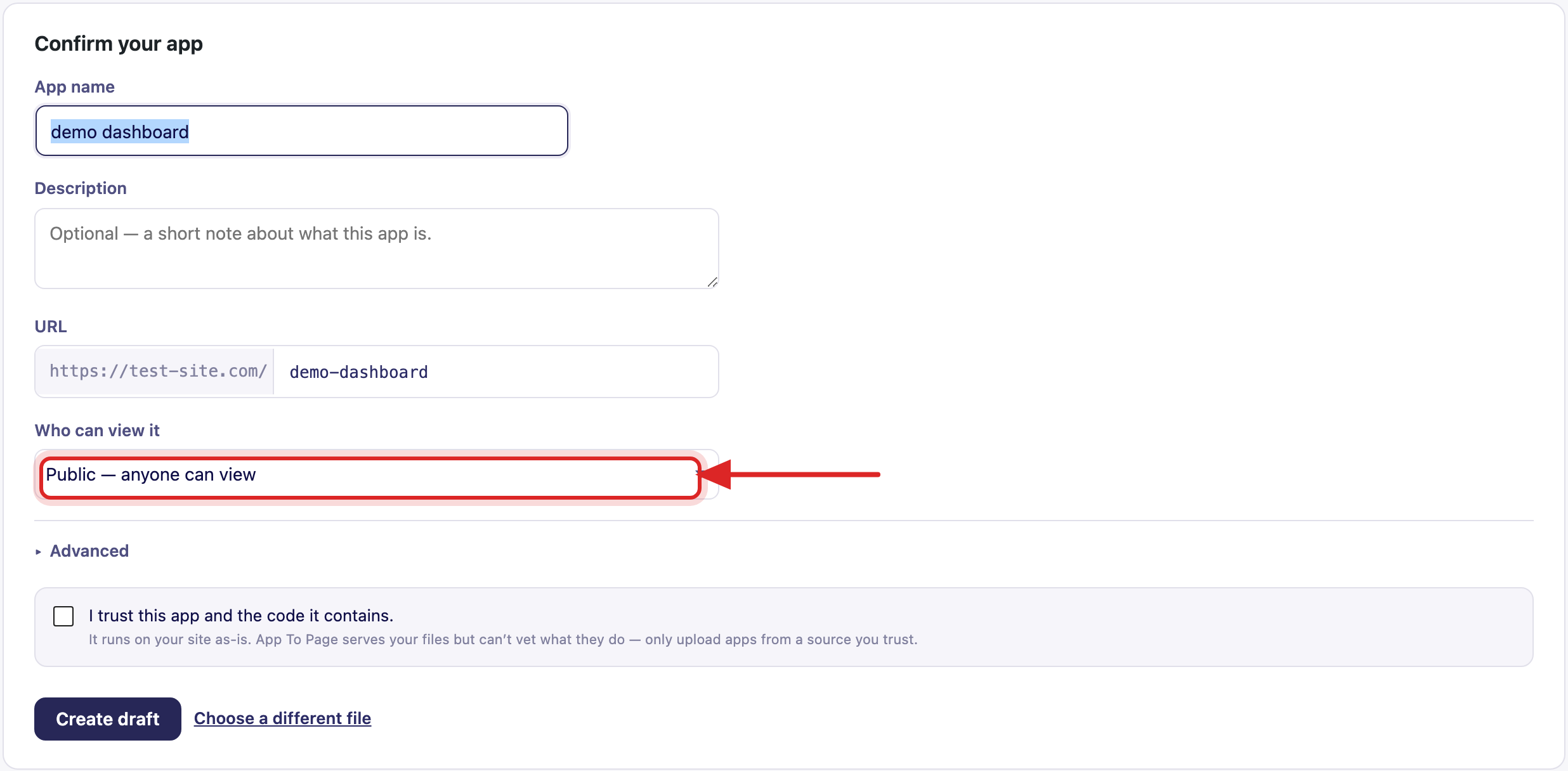
When you drop your .zip on App To Page » Apps, the Confirm your app card has a Who can view
it dropdown. Choose Public or Logged-in only before you click Create draft.
Change visibility later
You can flip an app between public and logged-in only at any time:
- Go to App To Page » Apps and click Manage on the app.
- Click Settings.
- Change Who can view it, then click Save changes.
The change takes effect right away — no re-upload needed.
What visitors experience
- Logged-in users get the app normally.
- Anonymous visitors are sent to your WordPress login page, and returned to the app once they sign in.
Because this uses your site’s existing accounts, any registered user can open a logged-in-only app. There’s nothing extra to install and no separate set of logins to manage.
Frequently asked questions
How do I make an app private on WordPress?
Set its visibility to Logged-in only — either on the Confirm-your-app card when you upload it, or later from the app’s Manage » Settings screen. Visitors who aren’t signed in are sent to log in first.
Can I restrict an app to specific users or roles?
Not yet. Today’s options are Public and Logged-in only (any signed-in user). Finer control by role or membership tier is on the roadmap.
Does logged-in only cost anything or need another plugin?
No. It uses your existing WordPress accounts and the standard login, so there’s nothing extra to buy or install.
Will changing visibility break the app’s URL?
No. Visibility is independent of the URL. Switching between public and logged-in only keeps the same address and the same files.